Sound Familiar?
'F5 Doesn't Just Work'

Building a real .NET system means juggling a database, storage, identity, and a frontend. Every one of them fights you before you write a line of business logic.
Hit F5 and only one project starts. The rest you launch by hand
Hours lost wiring connection strings across projects
No idea why a request is slow. No traces, no logs
Setting up every Azure environment by hand in the portal
Deployments that work locally but break in the cloud
Here's how the pros avoid all these daily nightmares from day 1...

From Code to Cloud 5X Faster

An F5 That Just Works
System Architecture
Production-Ready Defaults
Repeatable Cloud Environments
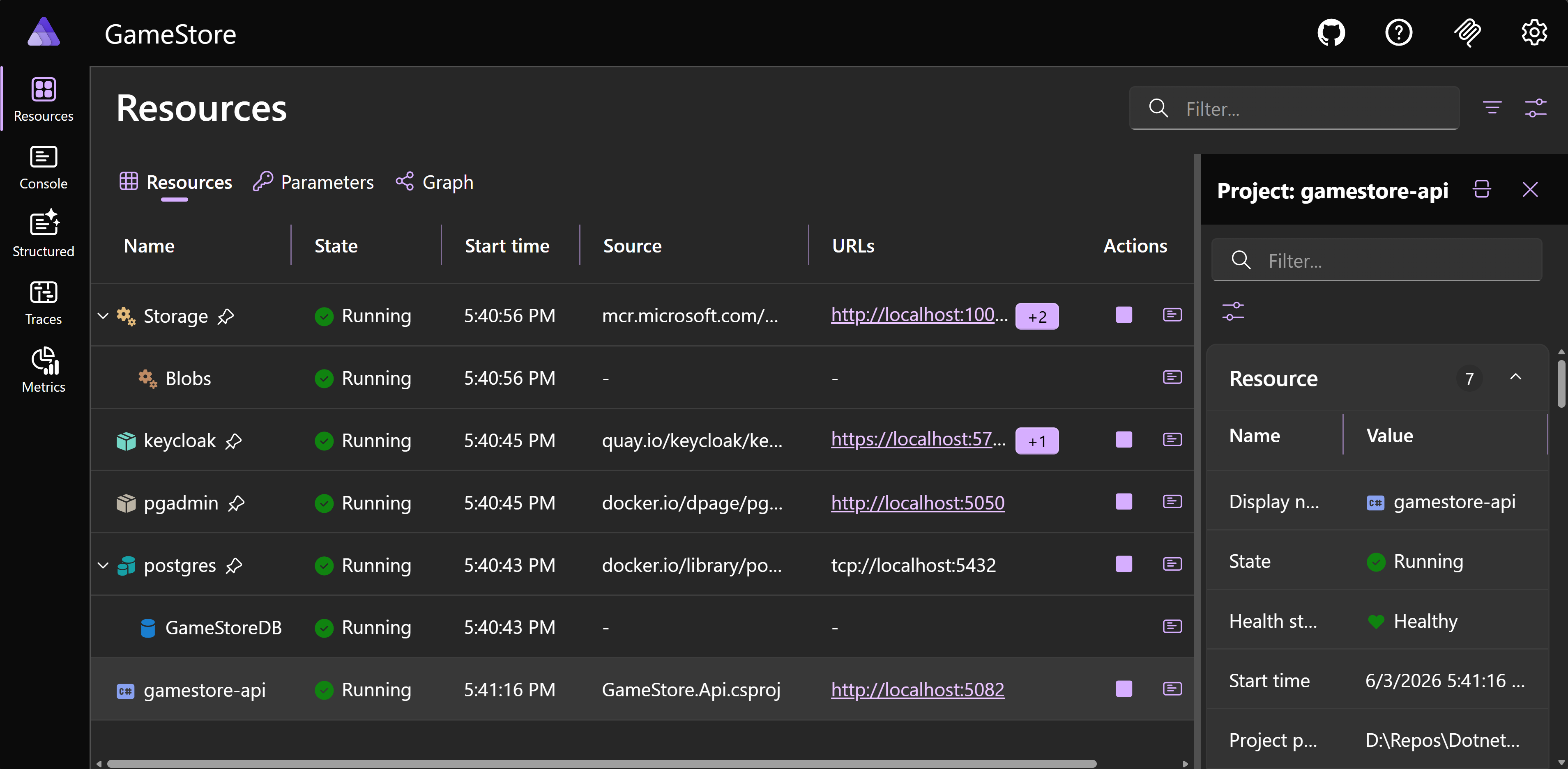
Aspire dashboard showing every service running after one F5

Hit F5 and Your Whole System Boots

  • Clone, F5, ready: one keystroke boots every service, database, and frontend in dependency order. The clone, crash, fix, crash, fix morning is gone.
  • One stack, every machine: your whole system is declared once in C# and checked into git, so every teammate and every laptop runs exactly what you run.
  • No setup scripts: no docker-compose.yml, no shell scripts, no "run these 7 commands first" README. The application model is the setup.
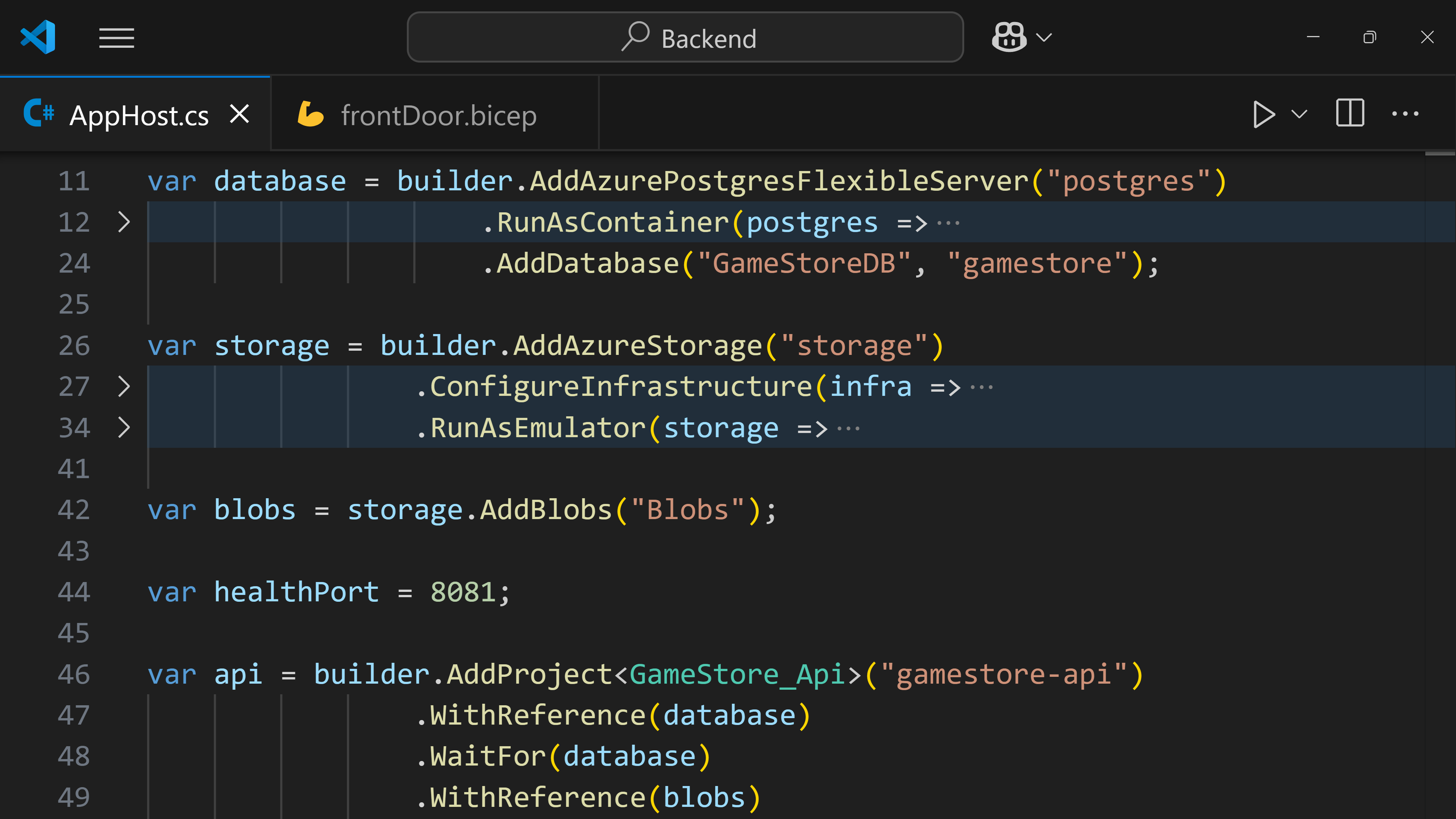
Aspire AppHost in C#

Define Your Entire System in C#

  • One model, every dependency: declare your databases, caches, queues, identity, and your own services in a single C# AppHost project.
  • Add a dependency in 1 line: drop in Postgres, Redis, Key Vault, or Azure Storage, and Aspire owns the lifecycle, wiring, and connection strings.
  • No connection-string plumbing: .WithReference injects the config into each service, and .WaitFor holds startup until it's healthy.
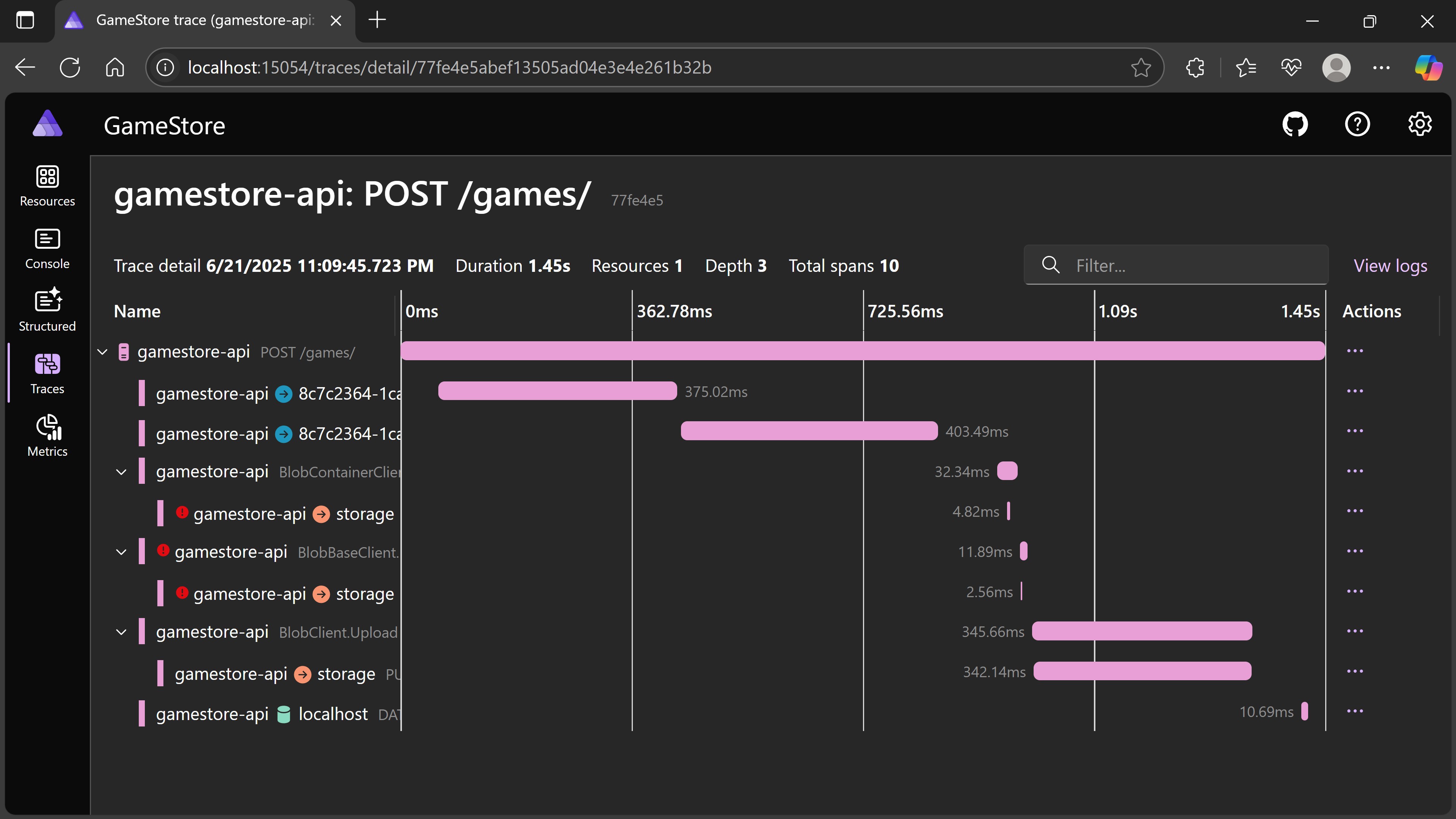
Aspire dashboard

Production-Ready Defaults, Not Boilerplate

  • Skip ~40 lines per service: one AddServiceDefaults() call wires resilience (retries, timeouts, circuit breakers), service discovery, and health endpoints.
  • Health and traces on first F5: a built-in dashboard shows distributed traces, logs, metrics, and the health of every service. No Jaeger, Prometheus, or Grafana to set up.
  • Find the slow call in seconds: follow one request across your API, database, and external services with real timing.
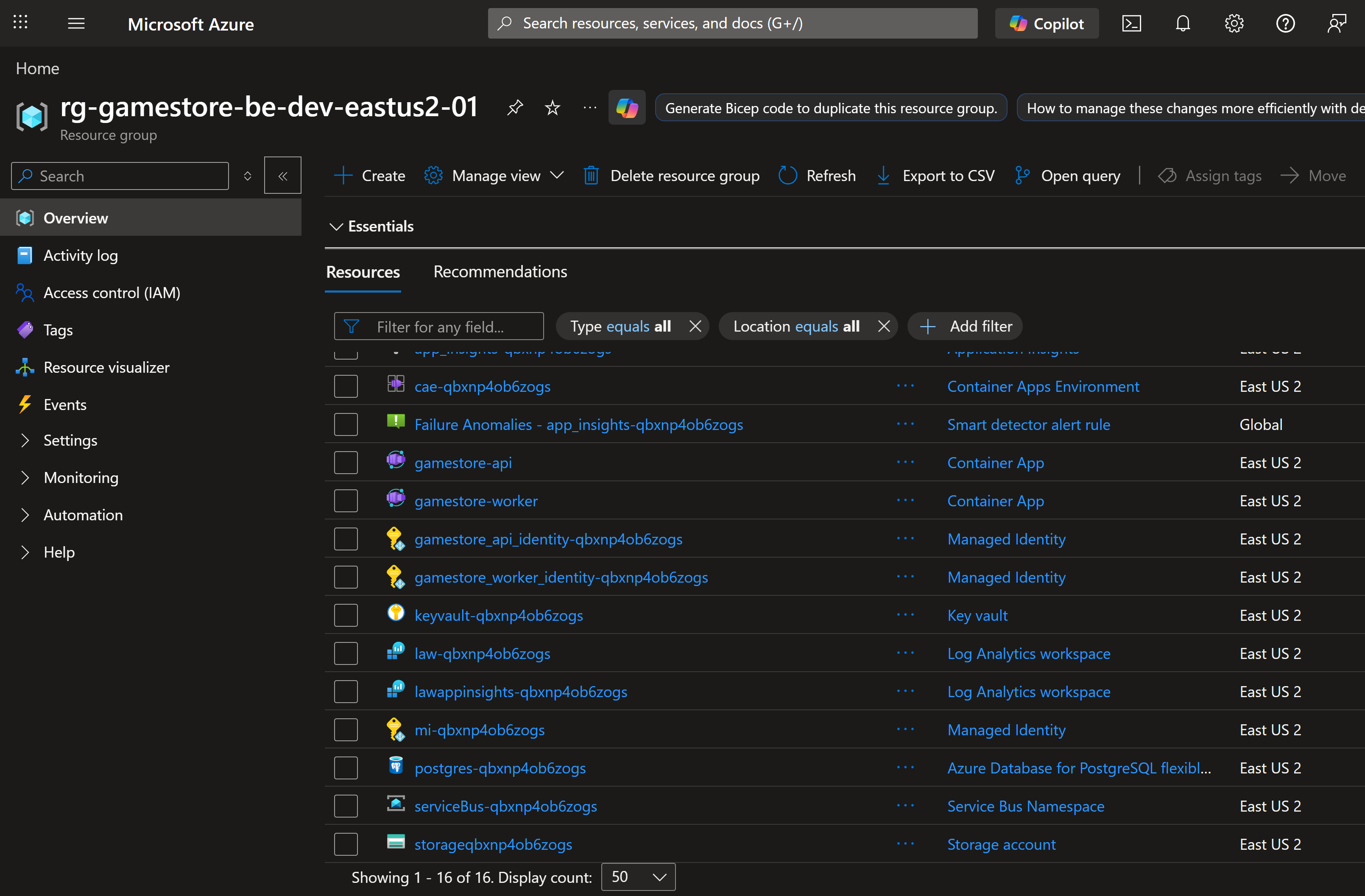
Azure resource group provisioned by azd

Same Model, Dev to Production

  • Deploy with one command: azd up provisions the resource group, pushes your images, and stands up an Azure Container App per service.
  • Dev, QA, and prod match: every environment is generated from the same C# model in git, so what you tested is what ships.
  • Go beyond the defaults with Bicep: drop down to Bicep for any Azure resource or setting Aspire doesn't cover, referenced straight from the AppHost.

Two Frontend Stacks Included

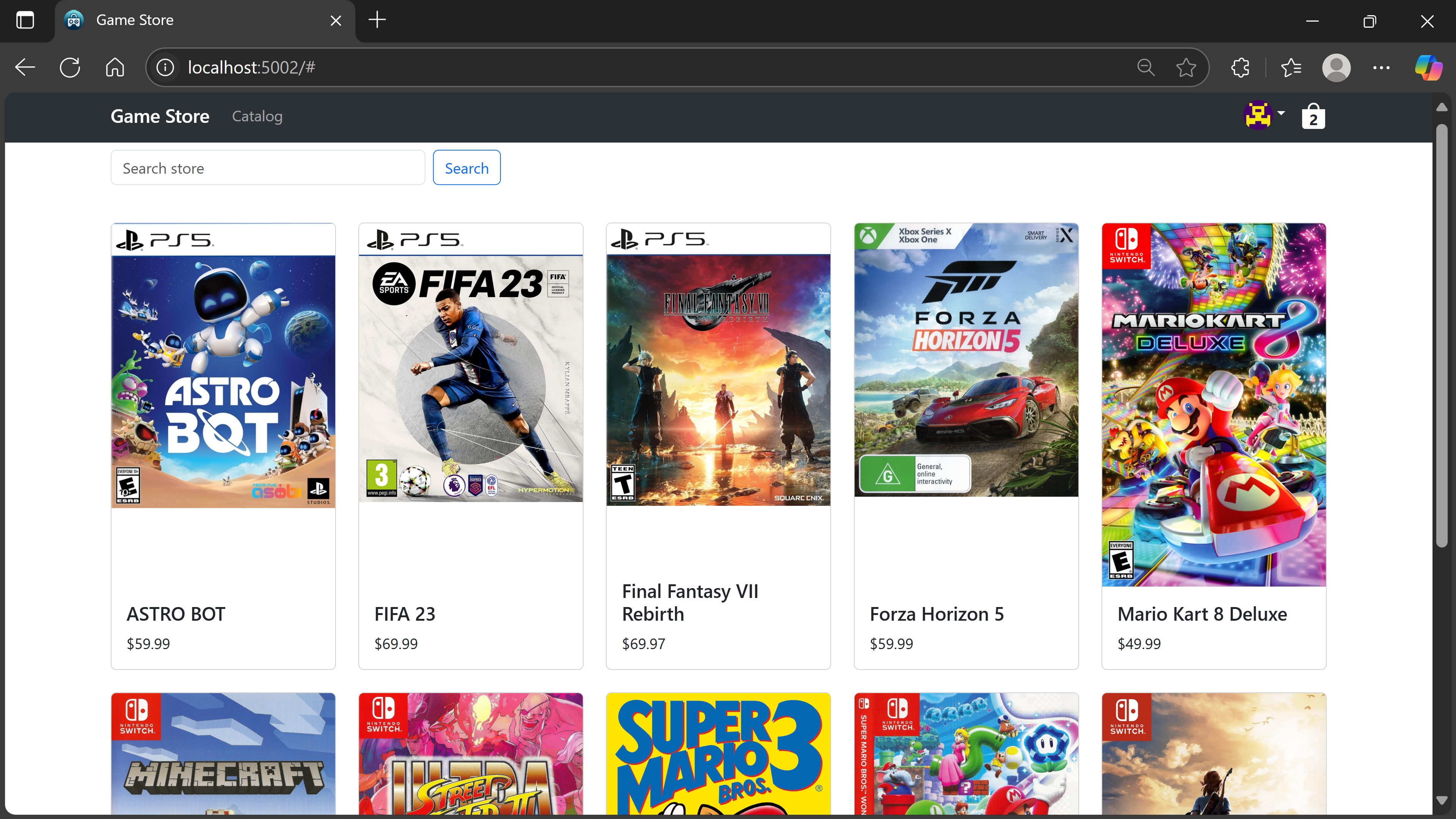
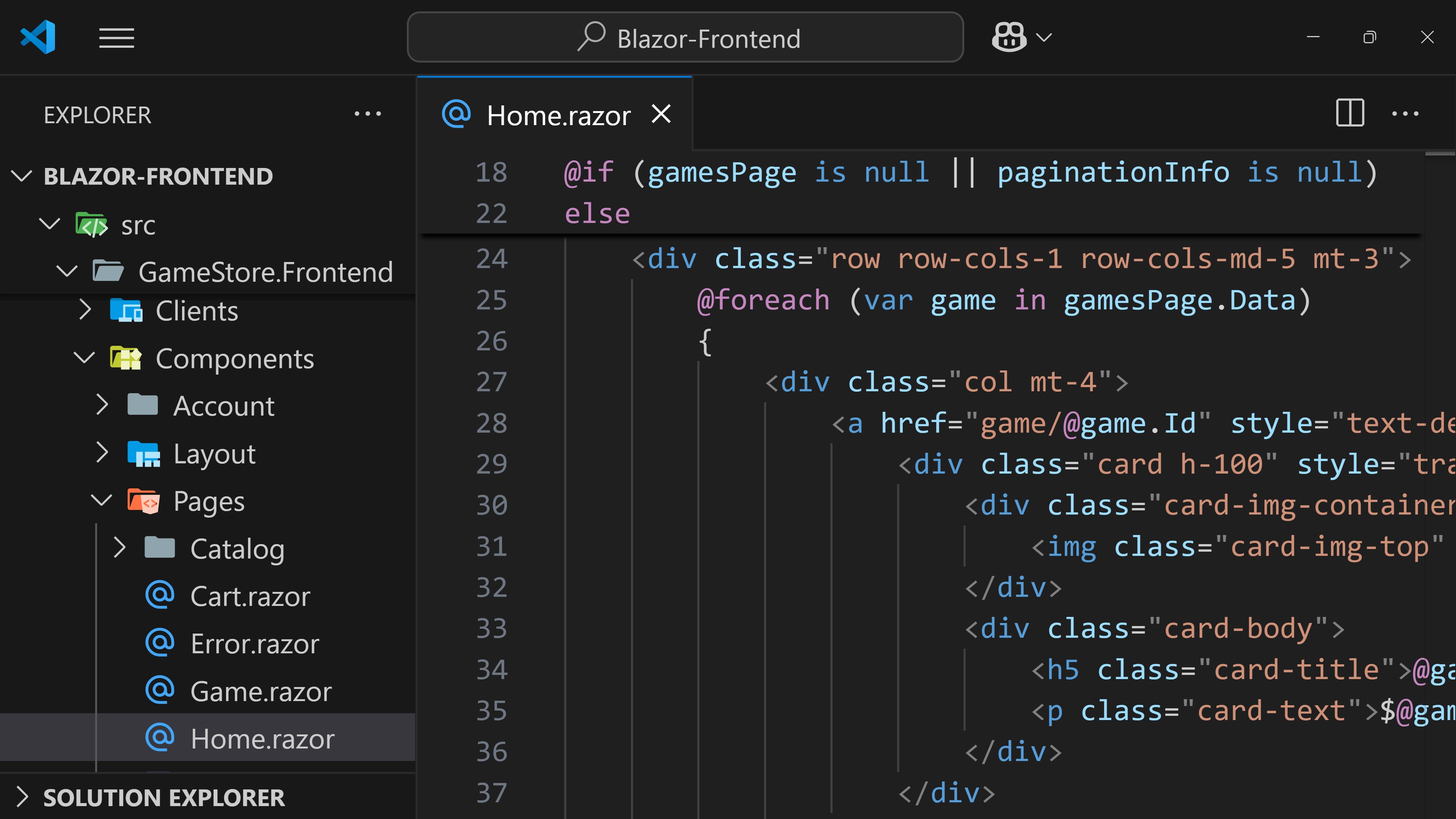
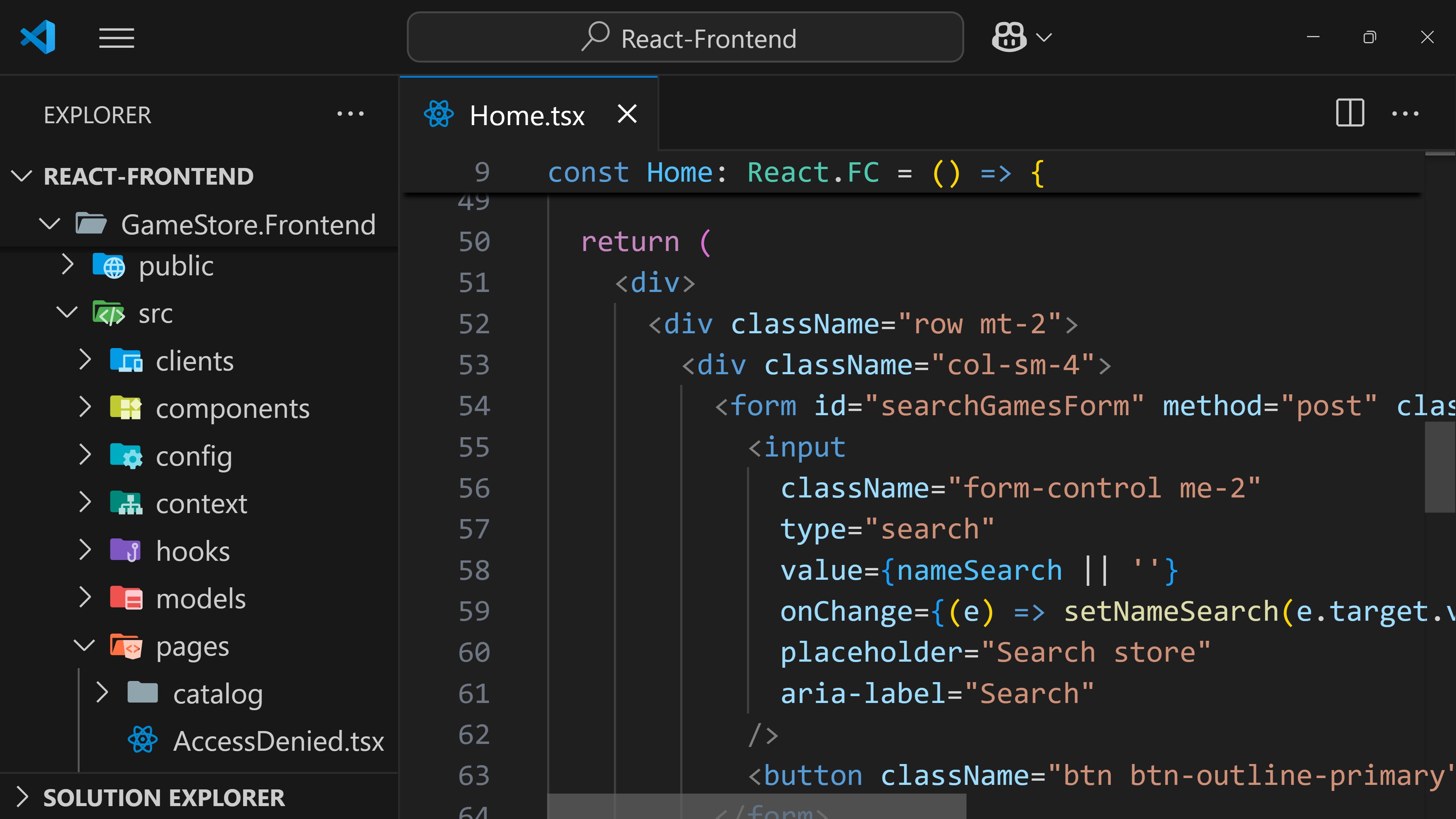
Make your backend API shine by integrating it with the included Blazor and React frontends, so you can see how your API works in a real-world scenario.
alternative
alternative
Blazor

Static Server-Side Rendered (SSR) Application

React

Vite Single Page Application (SPA)

alternative
Two frontend stacks, same user experience

What You Get With Your Purchase

alternative
alternative
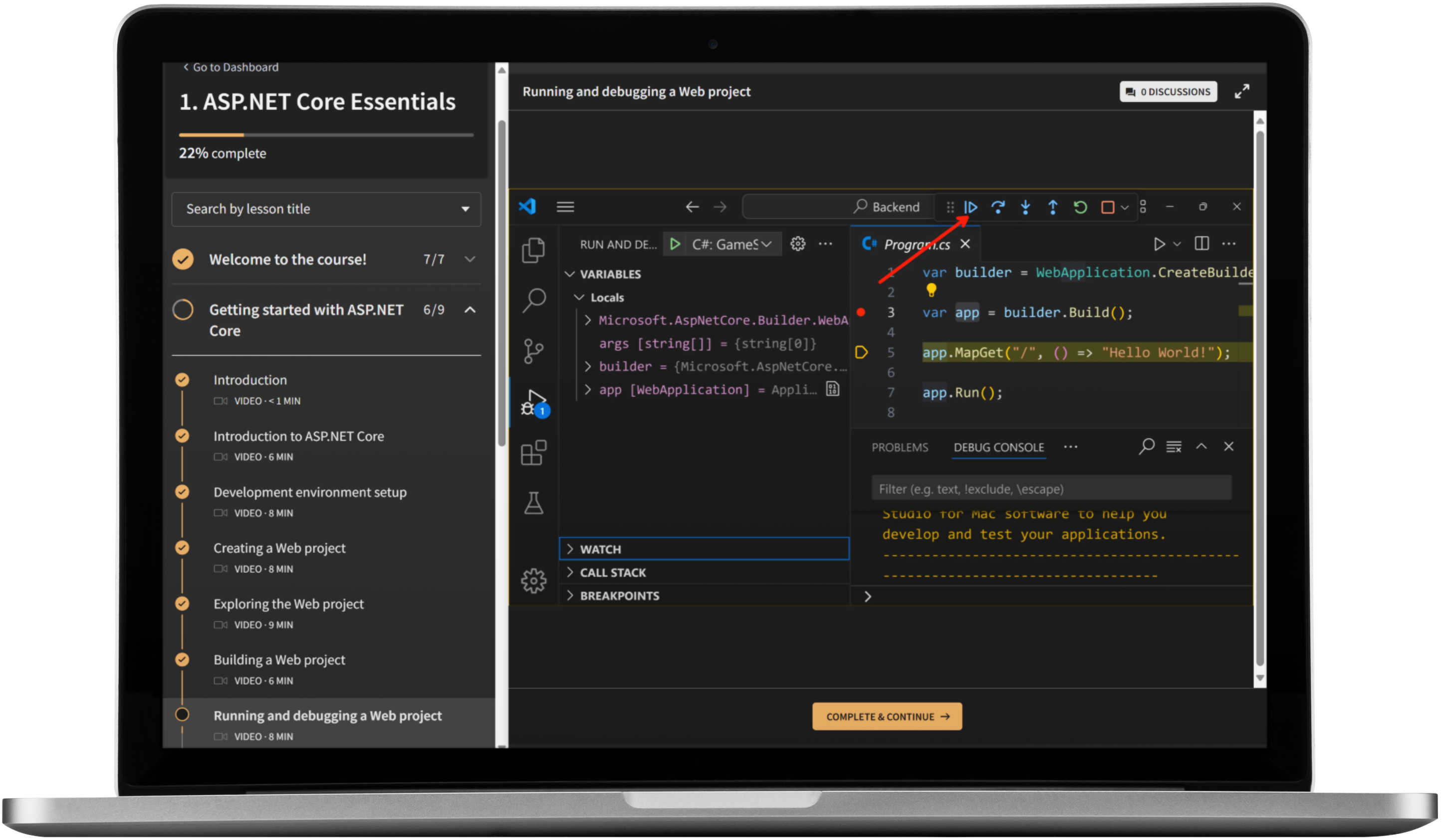
Signature Online Video Training

Professionally recorded high-quality video training that you can take at your own pace, anywhere and from any device.

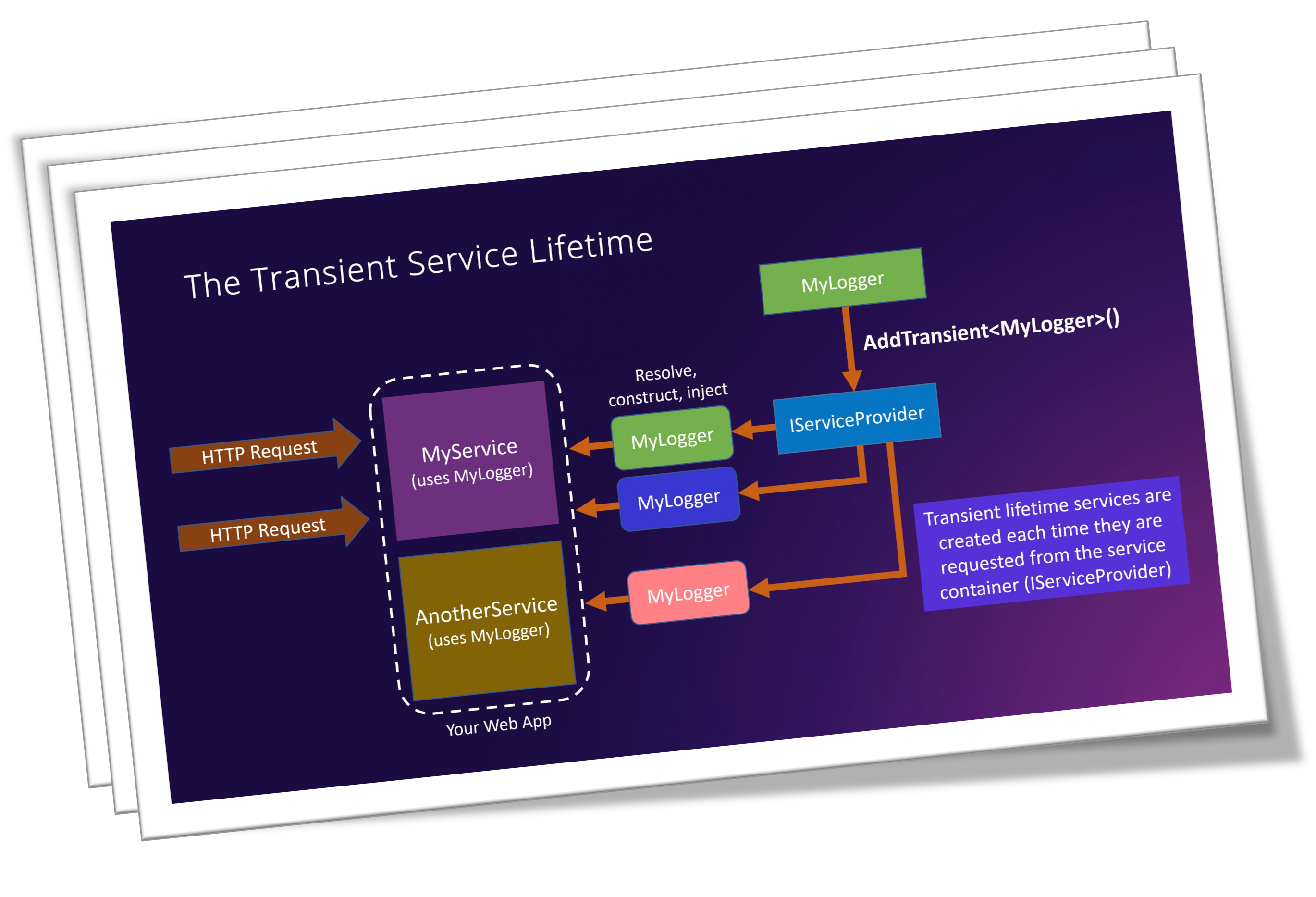
Beautifully Illustrated Handouts

Includes all diagrams from every slide deck presented across the course, so you can reference them at any time.

Full Source Code

Full source code linked to every coding lesson so you can easily compare and troubleshoot.

Full English captions

In case you need them, English captions can be turned on quickly for any of the lessons.

certificate
Course Certificate

Get a certificate of completion when you finish the course to show off on your LinkedIn profile.

Course Curriculum

Welcome to the course! 4min
  • Course introduction
  • What this course covers
  • What you need to know first
  • Software prerequisites
Getting started with Aspire 29min
  • What is Aspire?
  • Running the startup project
  • Adding the Aspire AppHost project
  • Running an Aspire application
  • Adding the .NET API to the AppHost
Defining your architecture 51min
  • Adding the PostgreSQL hosting integration
  • Connecting the API to the PostgreSQL resource
  • Using persistent containers
  • Adding the Storage hosting integration
  • Adding the Keycloak hosting integration
  • Testing the Aspire hosted .NET app
Using production ready defaults 38min
  • Adding resiliency to PostgreSQL connections
  • Using default PostgreSQL health checks
  • Adding Storage resiliency and health check defaults
  • Adding a ServiceDefaults project
  • A few more cleanups
  • Diagnosing issues across dependencies
Azure deployment with Aspire 1hr 2min
  • What is Infrastructure As Code?
  • Adding Azure Postgres Flexible Server support
  • Customizing Azure Storage Infrastructure
  • Customizing Azure Container Apps Infrastructure
  • Adding deployment parameters
  • Excluding resources not needed in the cloud
  • Deploying via the Azure Developer CLI (AZD)
  • Exploring deployed resources
  • Testing the deployed API
Using Bicep & Aspire together 39min
  • What is Bicep?
  • Getting started with Bicep
  • Declaring a Front Door resource with Bicep
  • Using Bicep resources in AppHost
  • Deploying Bicep provisioned Front Door
  • Generating Bicep from the Aspire App Model
Deploying the front-end with Aspire 51min
  • Running the Blazor front-end in .NET Aspire
  • Deploying the Blazor front-end to Azure
  • Running the React front-end in .NET Aspire
  • Deploying the React front-end to Azure
  • Fixing CORS issues
Aspire for .NET Developers

Course Includes

  • 7 Modules, 41 Lessons
  • 5 Hours of Video
  • Full source code
  • Illustrated handouts
  • Course Certificate

Who Is This Course For?

  • .NET developers tired of babysitting databases, storage, and identity by hand who want their whole system to start with a single F5.
  • Backend developers who want built-in observability (dashboards, traces, and health) without adding extra infrastructure.
  • Engineers ready to deploy to Azure with one command using Infrastructure as Code in C# and Bicep, instead of clicking through the portal.

What Students Say About Julio's Courses

Unlock Aspire for .NET Developers Today!

00
Days
00
Hours
00
Minutes
00
Seconds
ASPIRE FOR .NET DEVELOPERS
$127
Lifetime Access
$
$127OFF
Lifetime Access
alternative

Meet Your Instructor

alternative

My name is Julio Casal. I'm a passionate software engineer with a wealth of experience building all sorts of applications and systems based on the .NET platform.

Throughout my 10+ years working at Microsoft, I had the opportunity to work on real-world projects, building and refining backend services that handle millions of requests every month.

I believe reducing complex concepts into simple step by step instructions is incredibly valuable and helps to make coding accessible and fun for everyone.
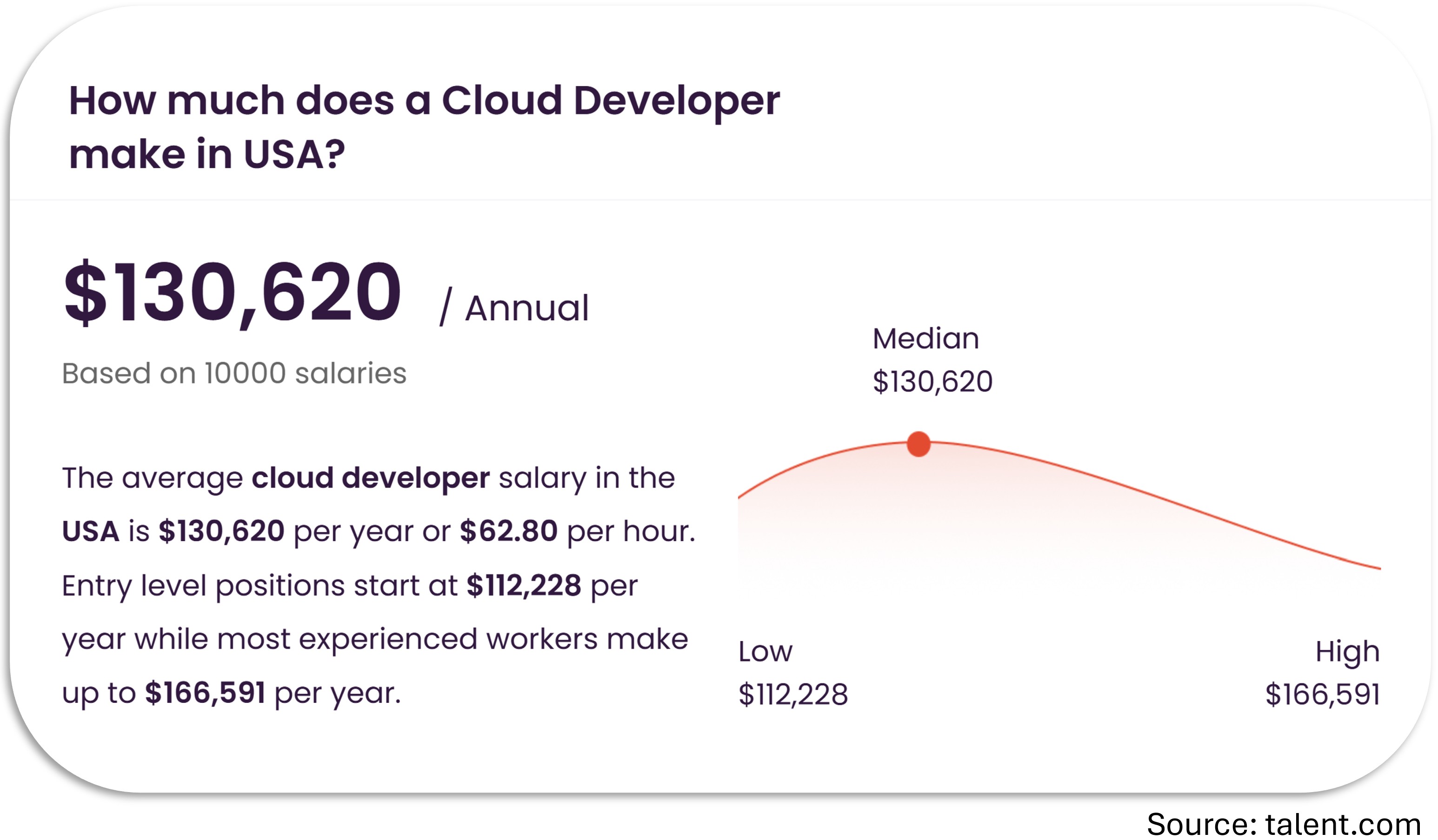
Start your path to a high-paying job

alternative

FAQs

When does the course start and finish?

Aspire for .NET Developers is a completely self-paced online course. You decide when you start and when you finish.

What version of .NET is used in this course?

.NET 10.

Do you offer a certification on course completion?

Yes, you will get a certificate at no additional cost after completing all the course lessons.

How long will I have access to the content?

Your enrollment includes unlimited lifetime access.

I have more questions!

Happy to help! Send me an email: [email protected]