Read time: 8 minutes
It’s almost here. Tuesday, June 9, 6 AM PT, the new .NET 10 edition of the .NET Developer Bootcamp goes live (formerly the The .NET Developer Bootcamp).
Two Saturdays ago I walked through the LTS upgrade itself, what changed between .NET 8 and .NET 10 worth caring about.
Last Saturday I covered Aspire, what it is, how the AppHost model works, why F5 finally just works.
Today, I’ll walk you through what you’ll build by the end, every course in the bootcamp, what’s new if you’ve taken the previous edition, and what ships with each course.
Let’s start.
What you’ll build
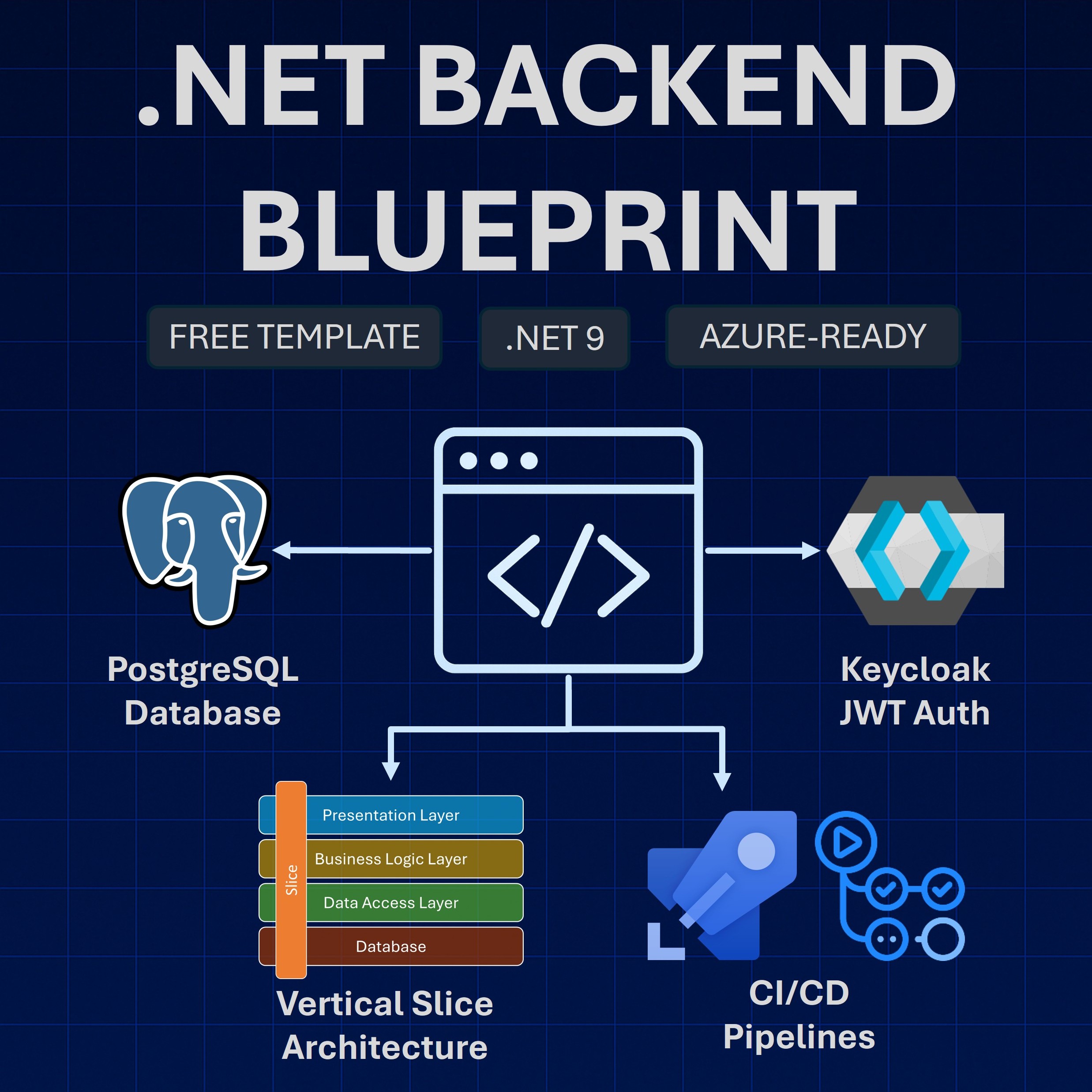
By the end of the bootcamp, you’ll have shipped a complete e-commerce .NET backend (the Game Store) to Azure end to end, across 3 pillars:
1. The essential .NET web development stack
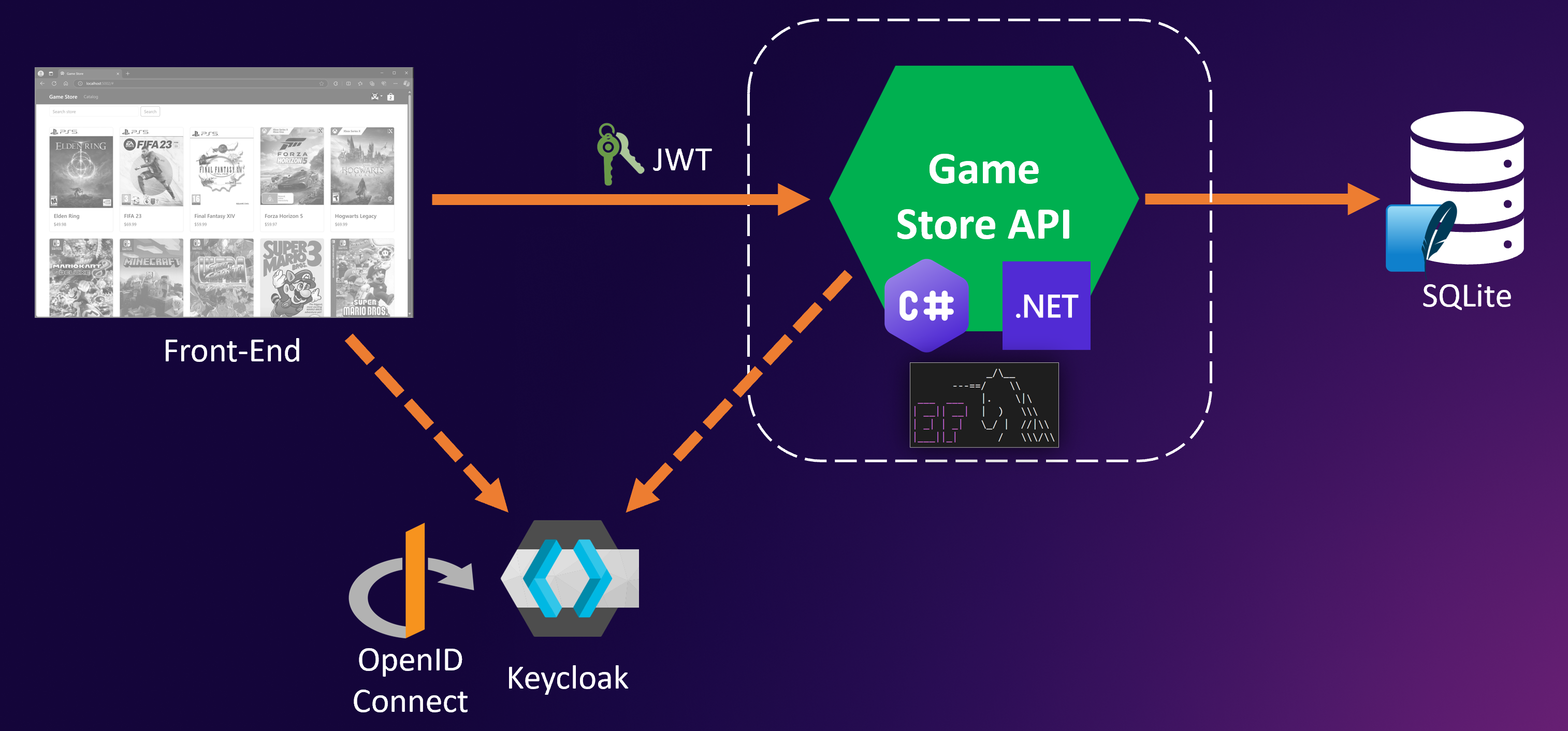
Building a .NET REST API with Vertical Slice Architecture, Entity Framework Core, async, logging, middleware, error handling, and OpenAPI, plus JWT, Keycloak, OAuth 2.0, and OpenID Connect for authentication and layered authorization.
2. The cloud-native Azure toolkit
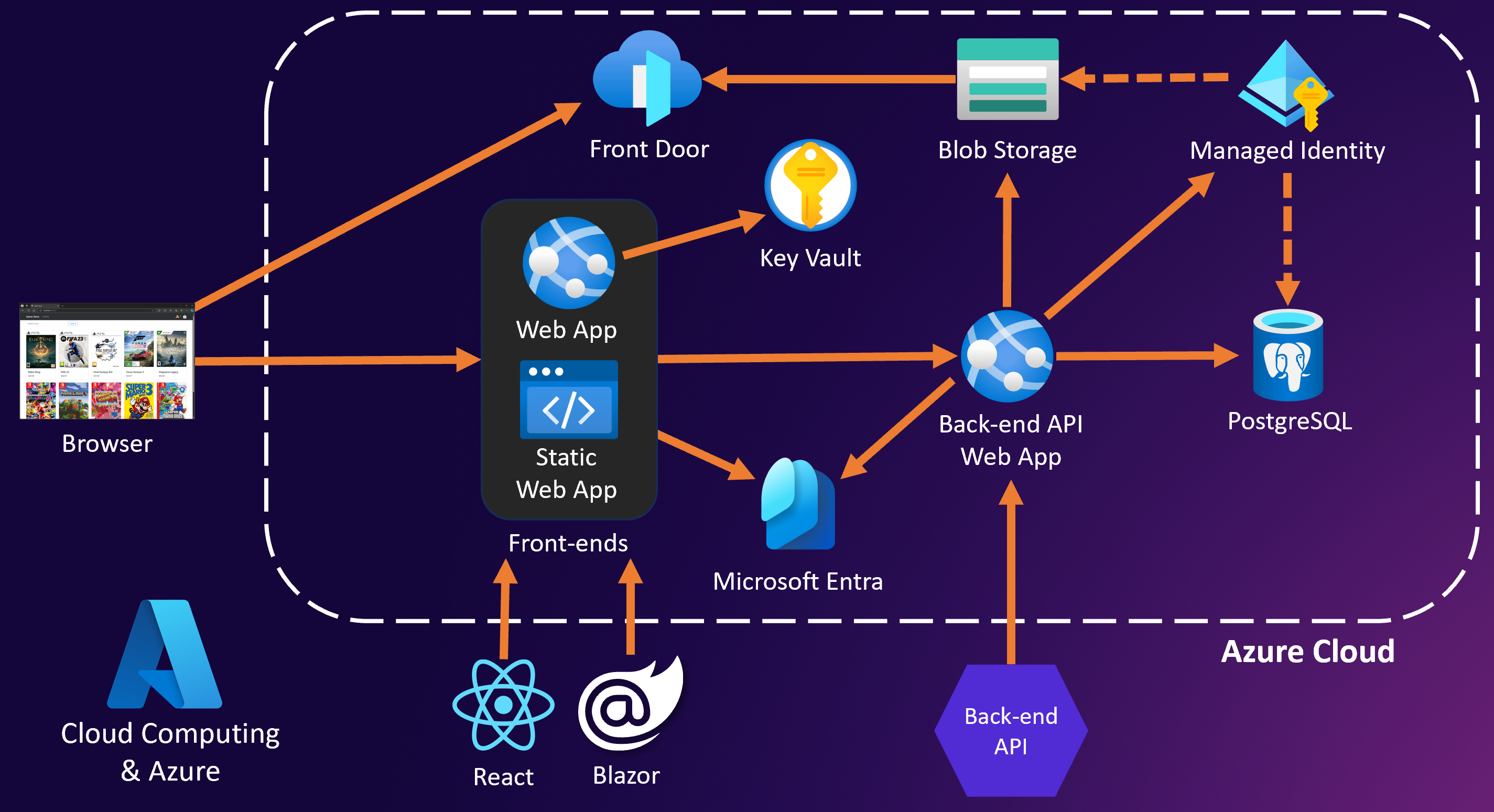
Shipping the .NET app to the cloud with Azure App Service, Azure Database for PostgreSQL, Azure Storage behind Front Door, Managed Identities, Microsoft Entra ID, Key Vault, Docker, Azure Container Registry, Azure Container Apps, Aspire, and Bicep.
3. Scalable, production-ready systems
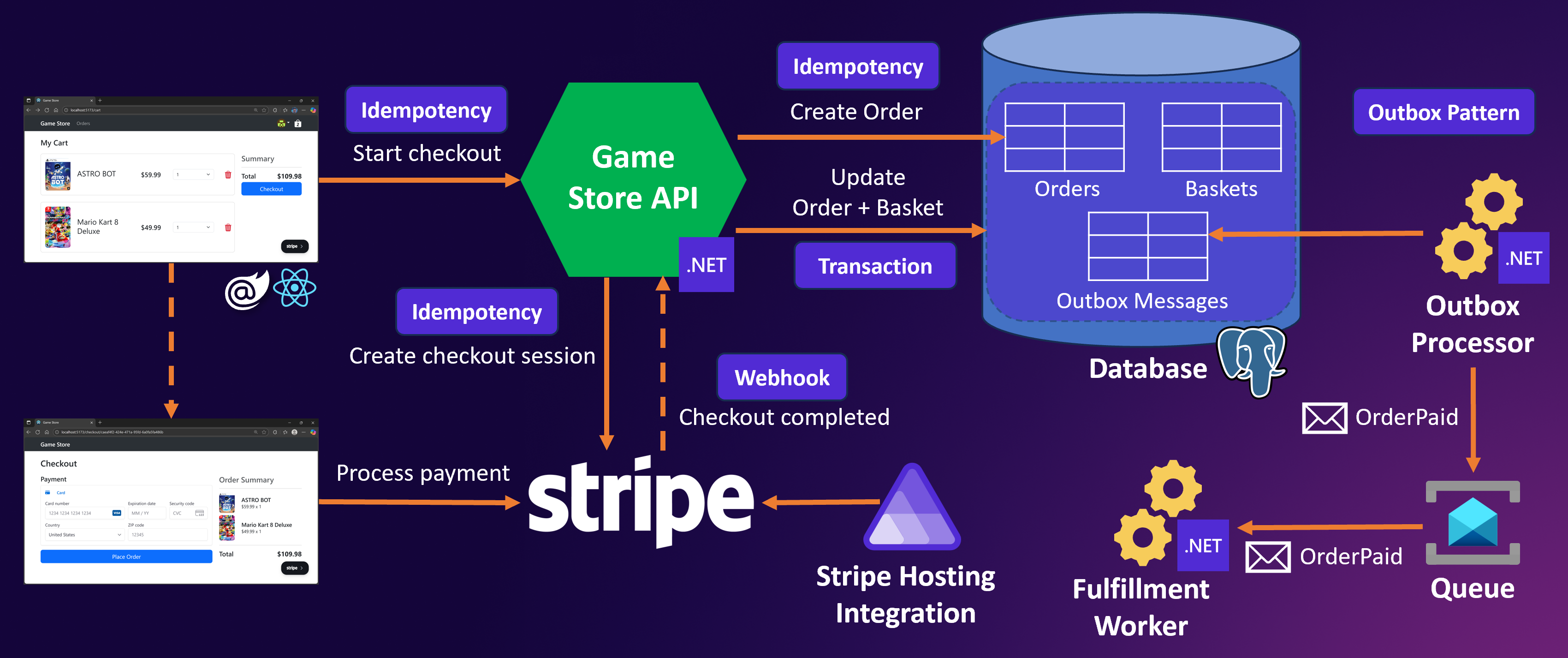
Wiring up Stripe Checkout end to end with webhook processing, database transactions, idempotency patterns, Azure Service Bus queues, the Outbox pattern, background Worker services, integration tests, Application Insights, and an Azure DevOps CI/CD pipeline.
All of that is spread across:
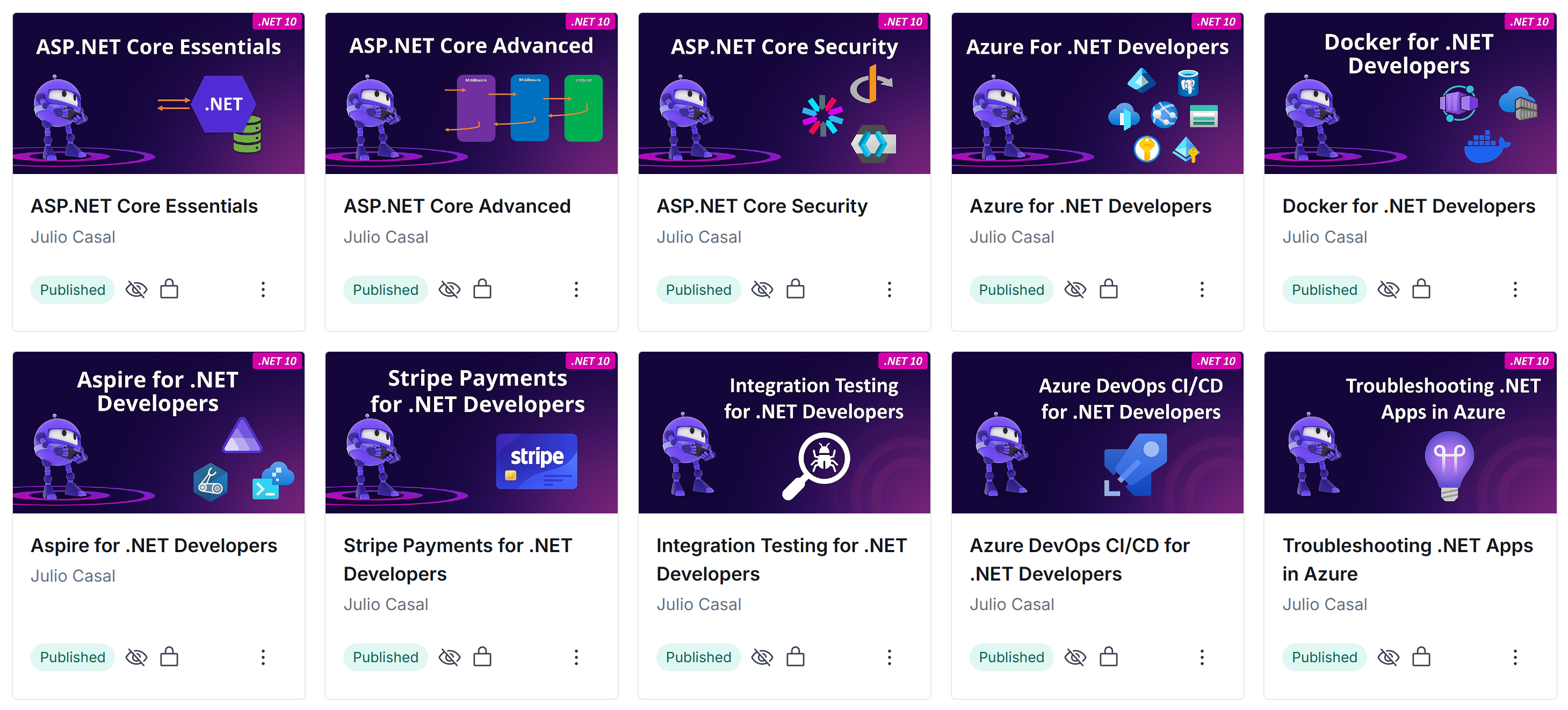
- 10 courses in the bootcamp (7 main + 3 bonus mini-courses)
- About 85 new video lessons recorded for this edition
- 241 lesson source code snapshots updated to .NET 10 and Aspire 13
- 2 brand new standalone courses in the bootcamp, where there used to be a half-course intro
The courses
Each course builds on the previous one and incrementally improves a single e-commerce app (the Game Store) that students build from scratch, step by step. Here’s what each course covers.
Course 1: ASP.NET Core Essentials
The starting point. Students build their first REST API from scratch with full CRUD endpoints, learn DTOs for mapping, organize their code with Vertical Slice Architecture, and wire up Dependency Injection with the right lifetimes.
Data goes into a database via Entity Framework Core, and by the end of the course they’ve connected a frontend (Blazor and React) to see their API drive a real UI.
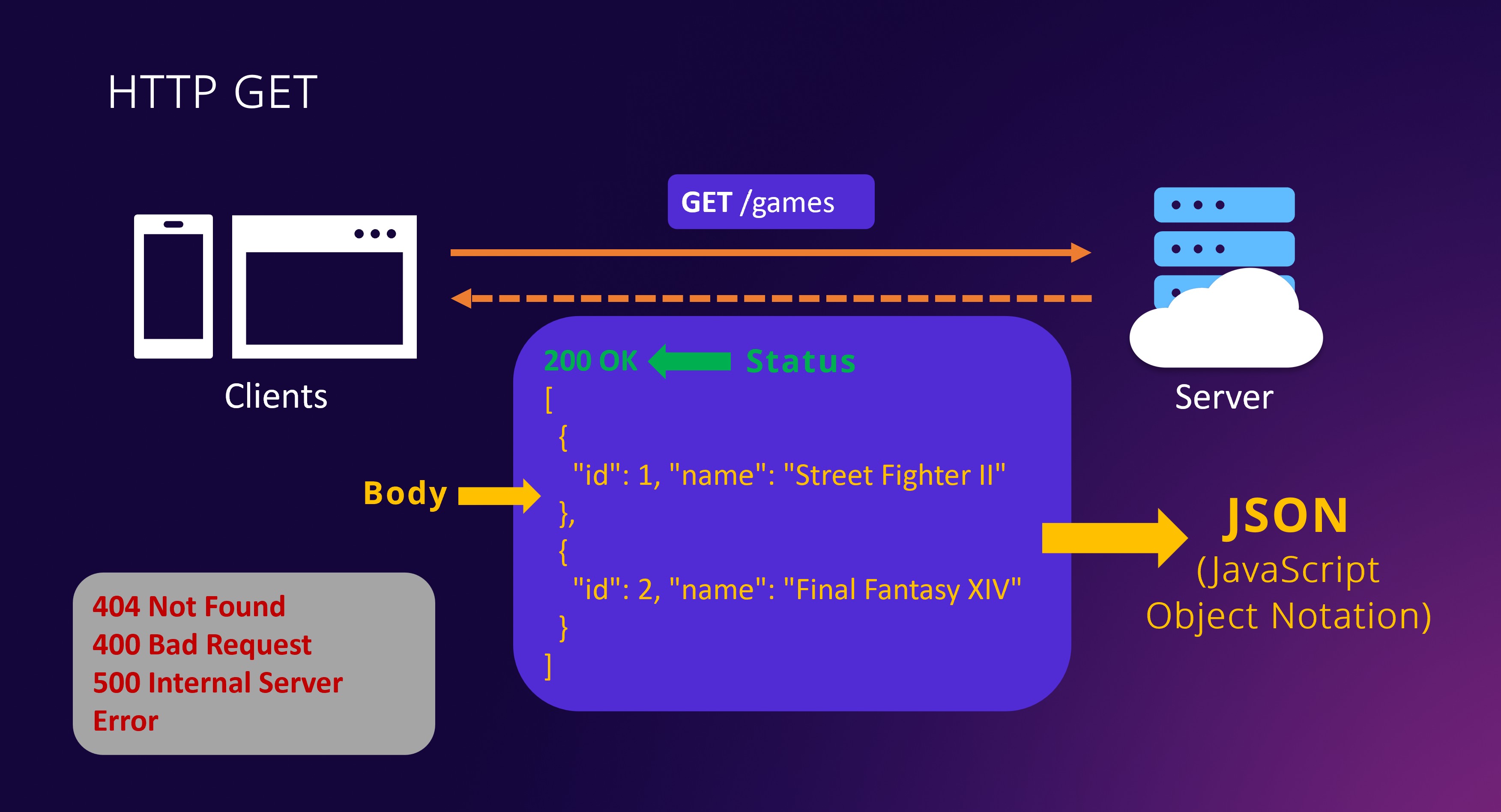
New in this edition: Chapter 3 now teaches the new built-in ASP.NET Core 10 validation (no more MinimalApis.Extensions package; just AddValidation in Program.cs), and the last chapter adds full React frontend integration with video lessons (previously this course only covered Blazor as a frontend).
Course 2: ASP.NET Core Advanced
The production-readiness course. Students go deep on async/await, structured logging, custom middleware, and global exception handling. They add pagination and search to their endpoints, document the API with OpenAPI and Postman, handle file uploads, and integrate the frontend against the new features.
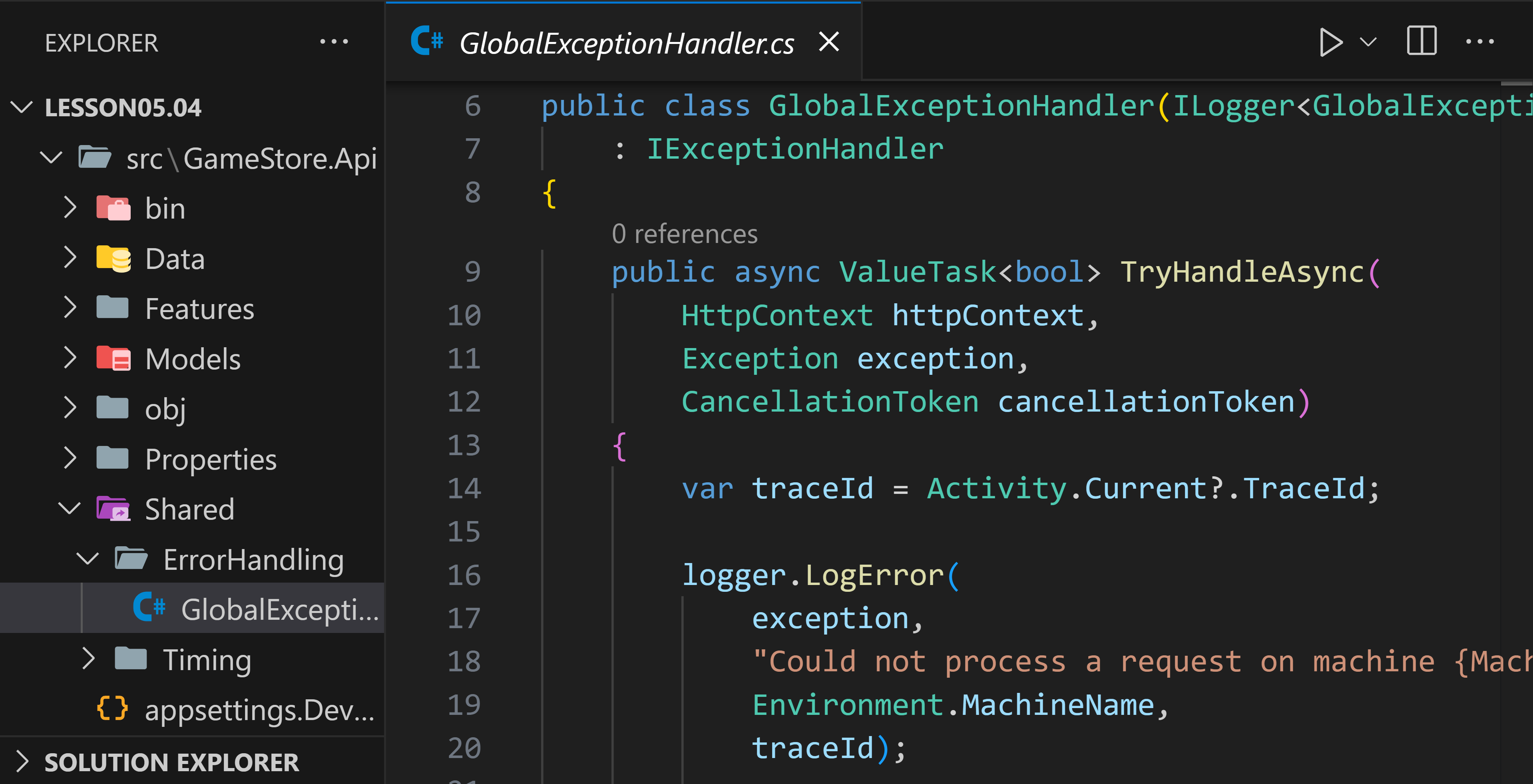
New in this edition: Chapter 7 OpenAPI lessons re-recorded against the built-in OpenAPI support that now ships with ASP.NET Core 10 (Swashbuckle is gone), and Chapter 9 now includes full React frontend integration with video lessons (previously this course only covered Blazor as a frontend).
Course 3: ASP.NET Core Security
The auth and authorization course. Students implement JWT-based authentication, build out a shopping basket API to put the lessons into practice, and then add role-based, claims-based, policy-based, and resource-based authorization on top.
Then they bring in Keycloak (running locally in Docker) as the identity provider: managing users and roles, learning OAuth 2.0 and OpenID Connect, integrating Keycloak with the backend, and wiring the Blazor and React frontends through the full login flow.
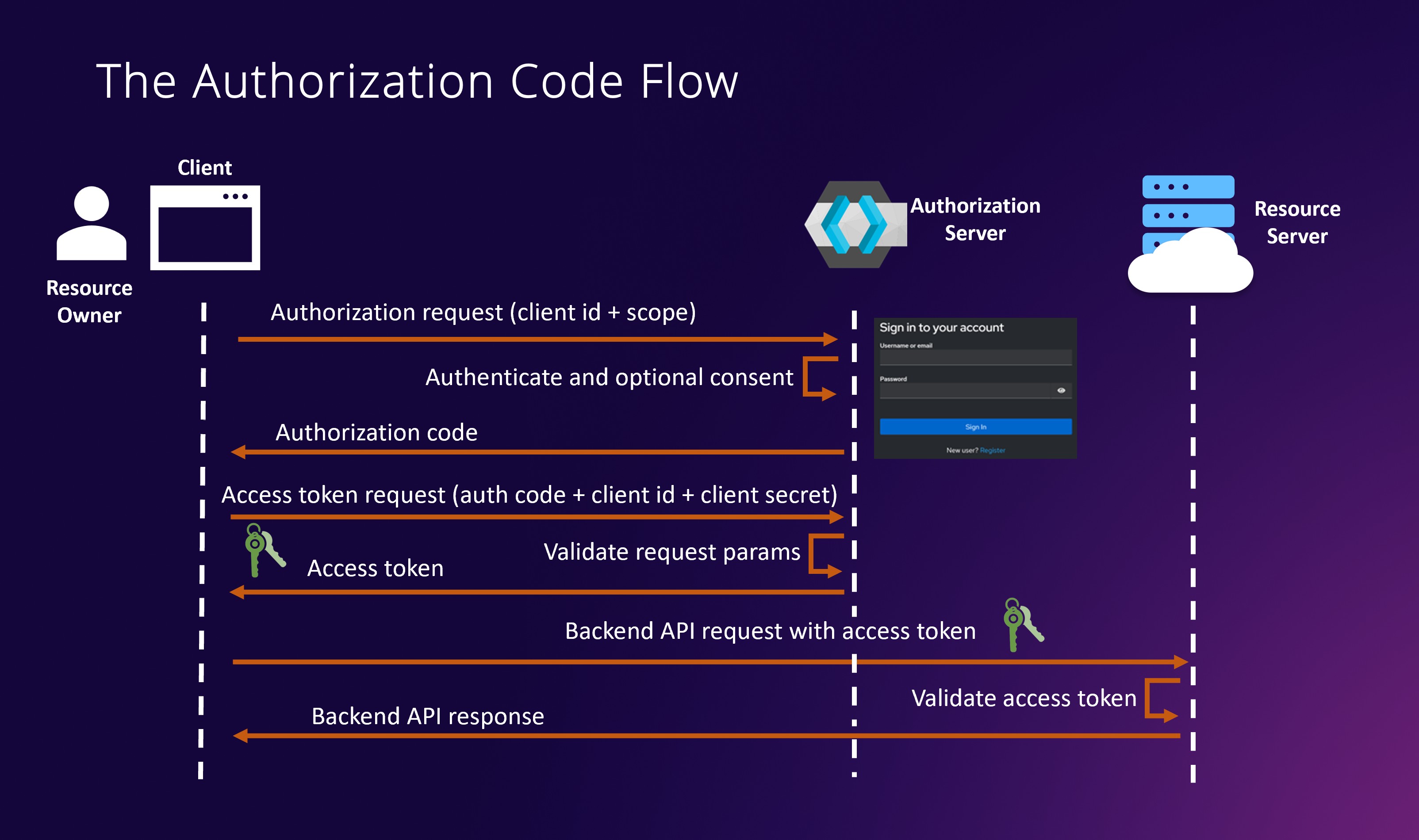
New in this edition: The course now includes just enough Docker to get Keycloak running locally (see course 5 for the full standalone Docker course). The Keycloak realm also ships as a 1-click import file, so students don’t have to recreate users, roles, and clients by hand. Plus brand-new React frontend video lessons in the last chapter.
Course 4: Azure for .NET Developers
The cloud deployment course. Students deploy the full stack to Azure App Service, swap local SQLite for Azure Database for PostgreSQL, and bring in Microsoft Entra as the production identity provider.
Azure Storage handles file uploads, with Azure Front Door in front as the CDN. Managed Identities (system-assigned and user-assigned) give the app passwordless access to Azure services, so there are no connection-string secrets to manage in the first place. Anything that still needs a secret lives in Azure Key Vault.
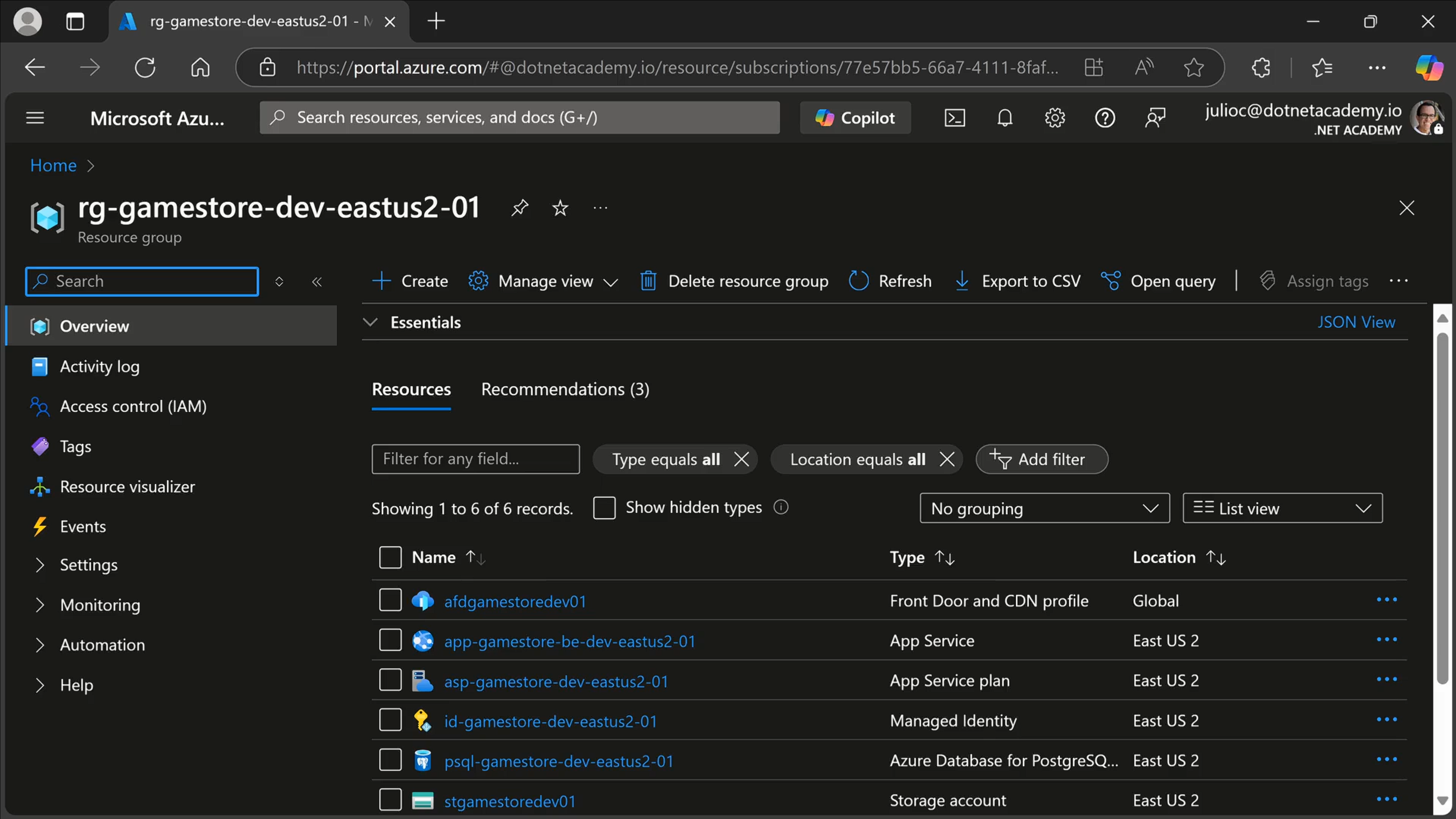
New in this edition: Every Azure SDK updated to its latest version and the entire .NET backend runs on .NET 10.
Course 5: Docker for .NET Developers
Starts with Docker fundamentals (images vs containers, tags, port mapping, volumes, Docker Compose), then builds container images for .NET apps two ways: with Dockerfiles, and with the .NET SDK directly (and how to keep image sizes small).
From there students publish their images to Azure Container Registry, deploy the app to Azure Container Apps (environments, ingress, revisions, scaling), and finish by adding liveness and readiness health checks wired into the Container Apps probes.
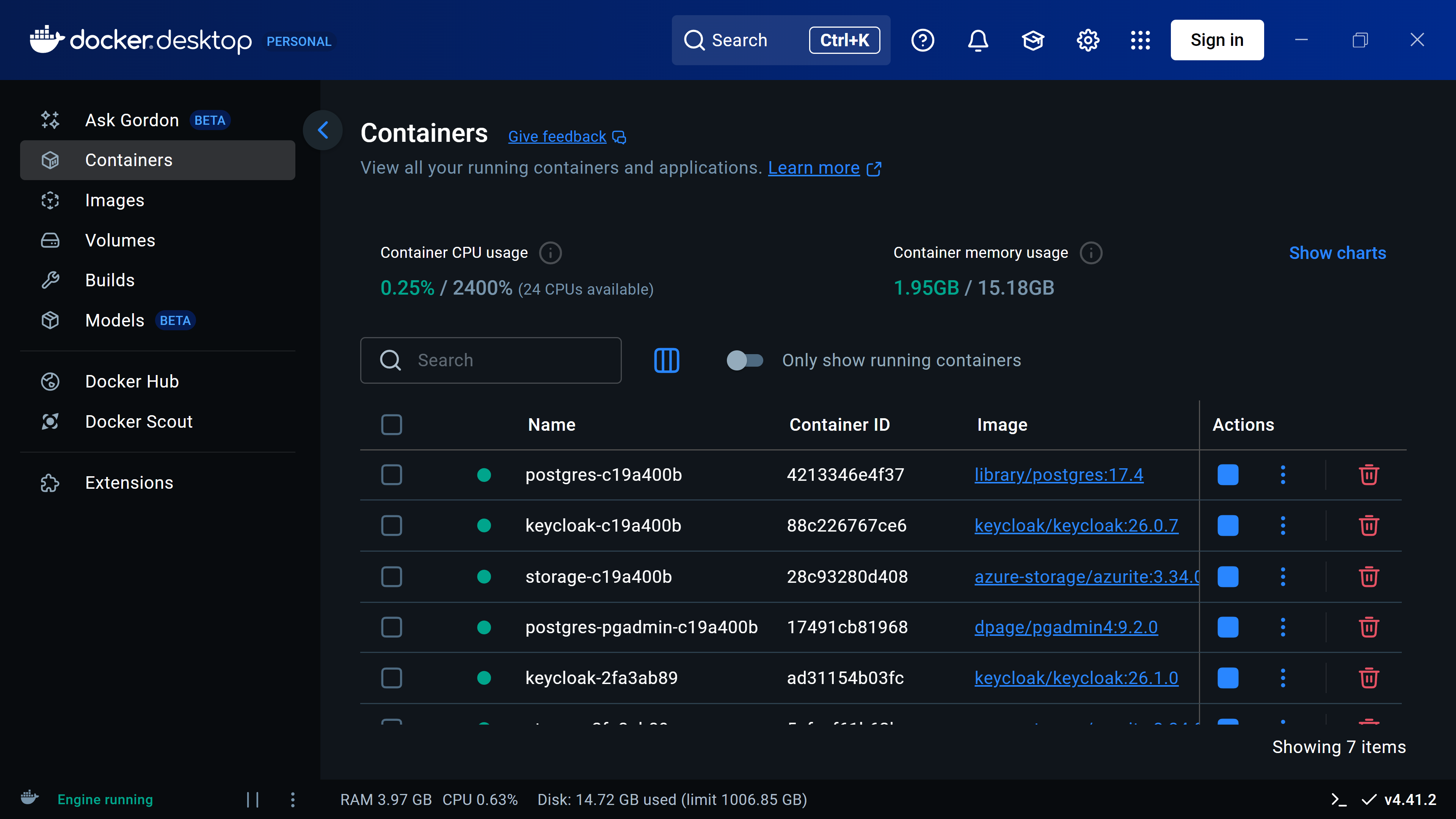
New in this edition. In the previous edition, Docker was a single intro chapter inside the Containers & Aspire course. Now it’s a full standalone course, opening with a Docker fundamentals chapter, then 2 hands-on chapters that containerize .NET 10 apps both with Dockerfiles and with the native .NET 10 SDK.
Course 6: Aspire for .NET Developers
Students start with the Aspire AppHost, add their .NET app, then define the rest of the architecture in C#: PostgreSQL, Azure Storage, and Keycloak all wired up as Aspire resources. Production-ready defaults come next via the ServiceDefaults project: resilience, health checks, and diagnostics across services.
Then comes Infrastructure as Code. The same C# AppHost generates the actual Azure resources and deploys them through the Azure Developer CLI. Bicep covers what Aspire doesn’t reach yet (Azure Front Door, for example), and the same flow ships both the Blazor and React frontends.
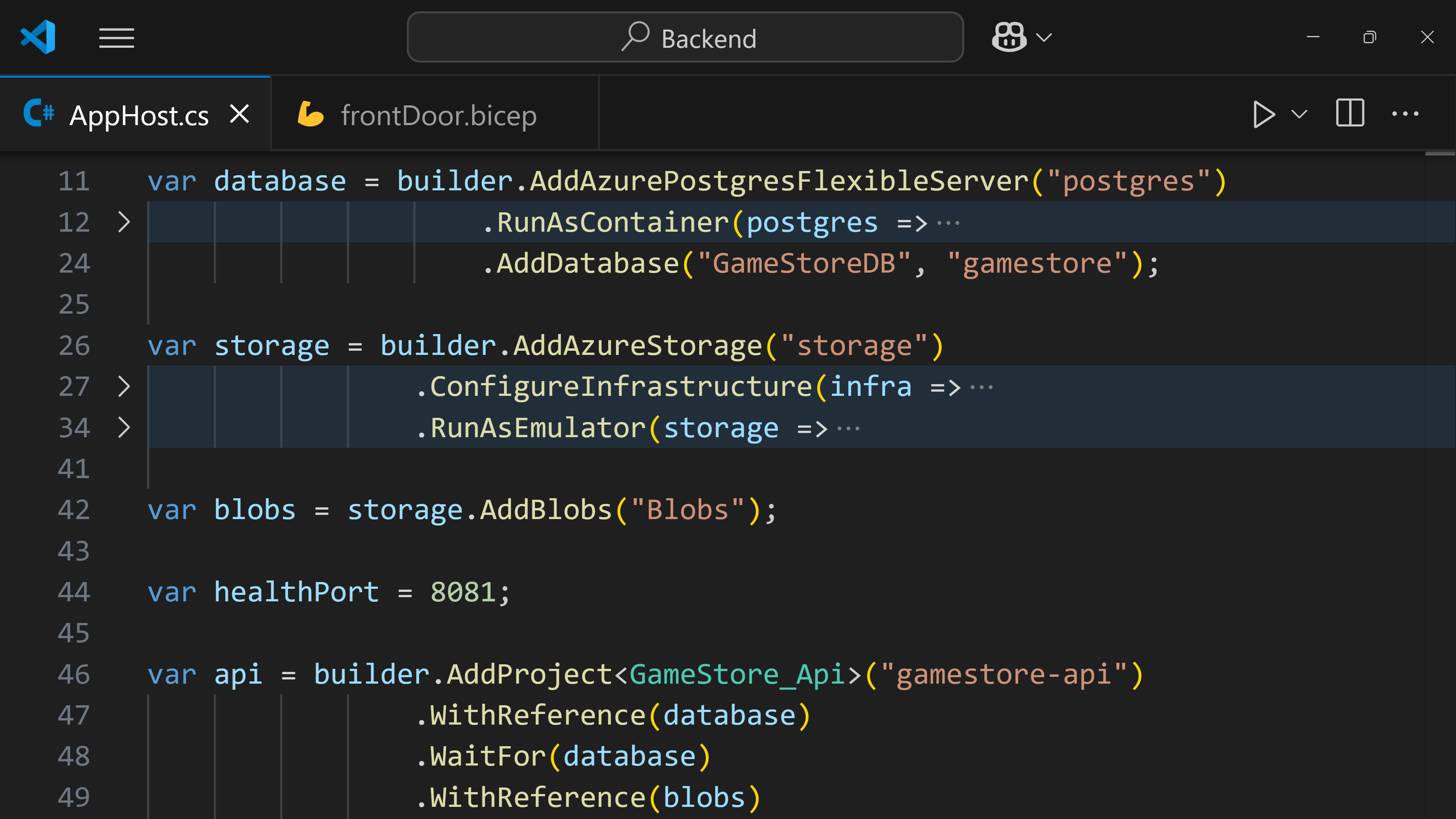
New in this edition. In the previous edition, Aspire was a small section inside the old Containers & Aspire course, built on Aspire 9. Now it’s a full standalone course built from scratch on Aspire 13: 4 chapters of brand-new content that take you from a local AppHost all the way to real Azure resources without leaving C#.
Course 7: Stripe Payments for .NET Developers
The course that turns the Game Store into a real product. Students set up Stripe, create checkout sessions from the API, collect payments from both the Blazor and React frontends, and handle webhooks for everything that happens after the customer pays. A custom Aspire hosting integration smooths the local Stripe dev loop along the way.
Then it goes deep on the distributed-systems patterns behind real payments: database transactions, idempotent endpoints, Azure Service Bus, the Outbox pattern, and .NET worker services that process messages with proper dead-letter handling. The course closes with a full Azure deployment, secrets in Key Vault, and live Stripe events hitting the cloud backend.
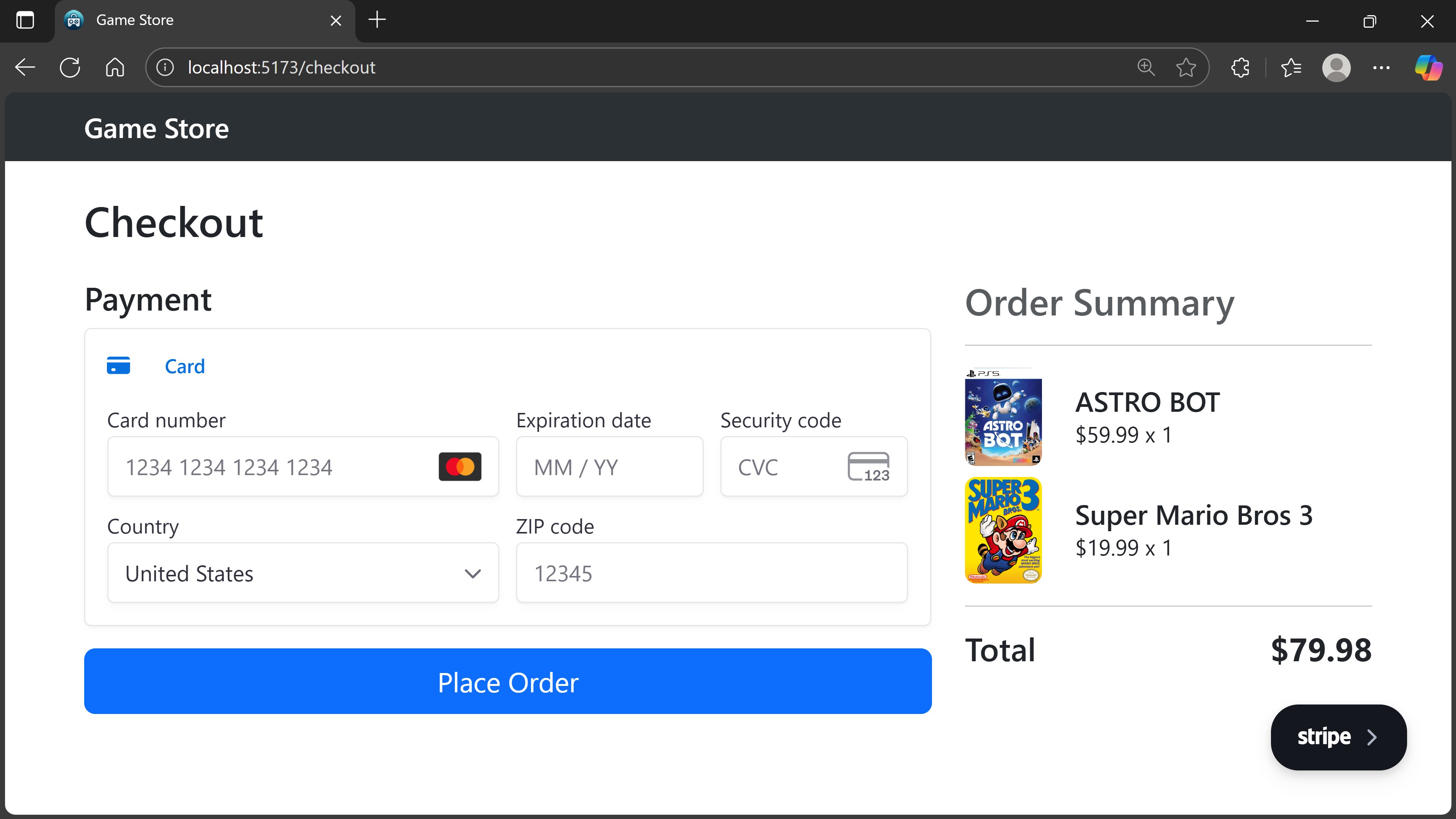
New in this edition: No major content additions. The code now runs on .NET 10 and Aspire 13, Stripe.NET is bumped to the current API version (Checkout now uses the new “elements” mode), and the course was renamed from “Payments, Queues & Workers” to lead with what it most uniquely teaches.
Bonus mini-courses
Three short standalone courses sit alongside the main 7. They cover the production concerns most .NET courses skip:
- Integration Testing for .NET Developers: xUnit integration tests for .NET REST APIs and worker services, using WebApplicationFactory and Test Containers.
- Azure DevOps CI/CD for .NET Developers: end-to-end CI/CD pipelines generated with AZD, including parallel test execution.
- Troubleshooting .NET Apps in Azure: Application Insights, distributed tracing, and log queries in production.
New in this edition: Source code updated to .NET 10 across all 3 mini-courses.
What ships with every course
Every course in the bootcamp includes:
- Per-lesson source code zips. 241 snapshots total. Every lesson has a starting snapshot and a finished snapshot, so students can jump in anywhere.
- Prebuilt Blazor and React frontends. Students focus on the backend; the frontends are wired up and ready so the app runs end to end from day 1.
- Postman collections and game images for the courses that need them.
- Illustrated handouts with every slide-deck diagram for offline reference.
- Full English captions on every video lesson.
- A course completion certificate to share on LinkedIn.
What this bootcamp is not about
To set expectations clearly, here’s what’s NOT covered anywhere in the bootcamp:
- C# fundamentals
- Clean / hexagonal / onion architecture
- Modular monolith
- CQRS
- DDD
- MediatR
- AutoMapper
- gRPC or GraphQL (the API is REST throughout)
- Building Blazor or React apps from scratch (the frontends ship prebuilt; the video lessons cover wiring them up to your backend)
The only one you actually need for the job is C# fundamentals, and there is already excellent free C# training out there.
Wrapping up
What started as a routine .NET 8 to .NET 10 bump turned into 2 months of work across the whole bootcamp. Around 85 new video lessons recorded, every project re-checked, every package re-aligned.
Claude Code helped me move faster on the repetitive parts. Without it, this would have taken much longer.
But the bootcamp is now back to feeling current end to end, and that’s worth the time.
And that’s it for today.
See you next Saturday.
P.S. The new edition launches Tuesday, June 9 at 6 AM PT. Pricing and how to buy in next week’s newsletter.